

'/%3E%3C/svg%3E)

22Bet Uganda Mobile App: Download and Installation Steps
Get the 22Bet bookmaker mobile app in Uganda and bet on 40+ sports while on the go. Use our guide to install the application on Android or iOS in minutes.
22Bet Uganda App
22Bet is a licensed and regulated online bookmaker in Uganda, making it legal in the country. On the platform, you can bet on 40+ sports, including football, basketball, tennis, and more. All the markets are featured right on the 22Bet mobile app, which lets you wager from anywhere.
The 22Bet app is available on Android and iOS devices. It has friendly compatibility requirements, so it’s relatively simple to download and install. Also, the lightweight specifications mean the app can run without eating up much of your device’s resources.
We’ll walk you through how to get the 22Bet app in Uganda as you continue reading. Furthermore, you’ll learn the features that make the bookmaker’s application one of the best in the country. Read on as we go into the details.

How to Download & Install the 22Bet App
The 22Bet app has an effortless installation procedure on both Android and iOS devices. You won’t spend more than three minutes getting the app on your device. We’ve outlined the steps to take below.

iOS App Store Installation
As a UG bettor who uses an iPhone or iPad, here’s how to install the 22Bet app:
- Open the App Store.
- Tap the search button and enter 22Bet.
- Press the ‘Get’ button and authorise the installation if required.
- Watch the loading circle as the app installs.
- Tap ‘Open’ to launch the app when done.
If you check your home screen, you’ll also see the 22Bet icon as a mobile app.
Android Google Play Installation
Getting the 22Bet UG app on Android isn’t complicated. You can do it through the Google Play Store by following the steps below:

- Launch the Google Play Store and tap the search button.
- Type in 22Bet and choose the correct app from the results.
- Press the ‘Install’ button to begin installing.
- Approve any requested permissions and wait as the app installs.
- Tap ‘Open’ to launch the application.
Android APK Installation
Another way to install the 22Bet app in Uganda is by downloading the APK. The APK file is not available on the Google Play Store, so you need to allow installation from unknown sources in your browser settings. You can rest easy as you adjust the settings, knowing that 22Bet is completely safe.
When you’re done, follow these steps to install the APK:

- Click the links on this page to visit the 22Bet website in Uganda.
- Open the mobile app page in the main menu, then tap the Android APK download link.
- Choose a location on your device to save the file, then download it.
- After downloading, launch the APK and follow the on-screen prompts.
- Tap the ‘Install’ button after all checks are complete, then wait.
- Launch the app after installing.
At this point, you’re ready to start betting on 22Bet on mobile. Log in to your existing account, or create one if you’re new, and make a deposit. As a new punter, you’re eligible for a 100% welcome bonus.



22Bet App Features & Benefits
The 22Bet UG app isn’t just another application for sports betting or casino gaming. It comes with several quality features that set it apart from other bookmaker platforms in the country. Check them out below.

Portability and Mobile Optimisation
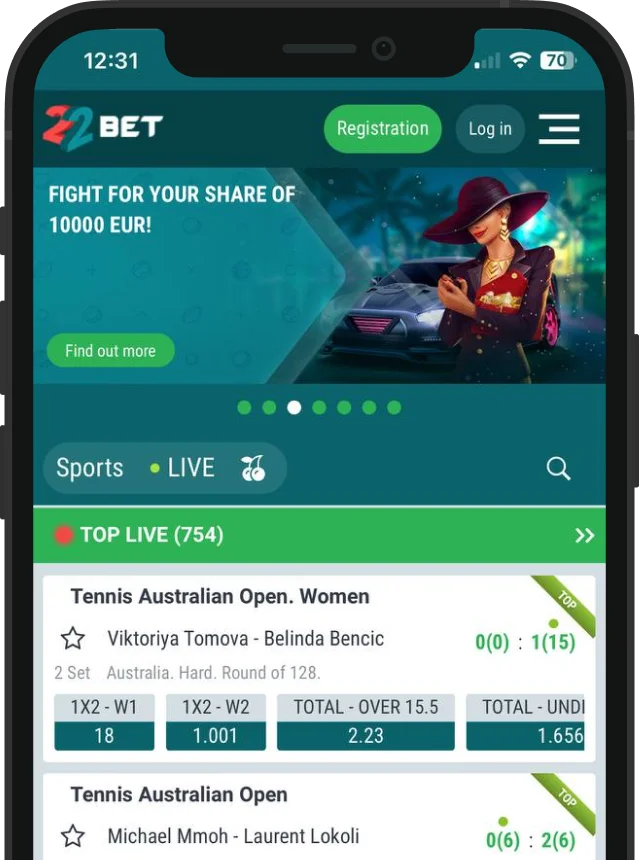
On the 22Bet app, you have a more streamlined interface than on the mobile site. The bottom menu is the primary feature, as it has fixed buttons to access popular sports, your bet slip, and history. Plus, you can access the full menu from the bottom right.
Browsing the 22Bet mobile app is easy thanks to the quick speed. Pages load in split seconds, and a top tab lists all available sports for fast sorting. If you want to play casino and live dealer games, you can also access them from the top section.
Security
Two specific features make the 22Bet Uganda app extremely secure. First is the biometric login, which lets you access your account using your fingerprint or facial scan. You can skip typing passwords and sign in more quickly and conveniently. The biometric login option is safer because third parties can’t copy your fingerprint or facial scan.
The second security feature on the 22Bet bookmaker app is Authenticator. It works like a two-factor authentication (2FA) protocol, except that you receive the 2FA code right on the app. You can still link the authenticator to your phone number and receive verification codes via SMS.

Exclusive Mobile Features
Push notifications are a major exclusive mobile feature on the 22Bet app. If activated, the bookmaker will send you real-time alerts on any new happenings. It can be bonuses, promotions, sports, news, or other information. The advantage is that you won’t miss anything crucial.
On the mobile app, you also experience haptic scroll. As you browse through odds, markets, and games, you’ll observe tactile feedback in the form of small vibrations. With this, your betting experience becomes more realistic.The 22Bet UG app also supports dark/light themes, which you don’t get on the website. Via the app settings, you can choose your display preference or set it to auto-adjust based on your device.

App-Specific Promotions
From time to time, you may come across special app promotions from 22Bet UG. These bonuses are only available to bettors and players with the mobile application installed. They can be free bets, free spins, or bonus cash, and you’ll be able to cash out potential winnings after you fulfil the wagering requirements.

App Requirements & Compatible Devices
The 22Bet Uganda app features are lightweight, making it compatible with a wide range of smartphones and tablets. Still, your device must meet certain specifications for optimal performance. Let’s check out the compatibility standards on Android and iOS.

Minimum iOS Requirements
To install the 22Bet app on iOS, your iPhone or iPad must meet the requirements in the App Store. We’ve detailed them below:
| OS version | iOS 14 and later |
|---|---|
| Storage space | 300 MB minimum |
| RAM | 2 GB minimum |
| Some compatible devices | iPhone 11 to 17 series iPad 9th Gen iPhone X series iPhone SE (2020) iPad Air (4th gen) |

Minimum Android Requirements
If you have an Android smartphone or tablet, the 22Bet mobile specifications apply to the Google Play Store and APK versions. Here are the details:
| OS version | Android 10.0 or newer |
|---|---|
| Storage space | 100 MB minimum |
| RAM | 2 GB minimum |
| Some eligible devices | Samsung Galaxy Google Pixel Infinix Tecno Xiaomi / Redmi Huawei |
22Bet Mobile Web Version
Without installing the 22Bet application, you can still bet on the bookmaker’s mobile site. The platform is optimised to run on smartphone and tablet browsers without any lag. Therefore, if you have a functional device, you can visit the site, log in, and wager on the go.
Using the 22Bet mobile web version doesn’t require downloads. As such, it’s ideal if you’re short of space or you need to free up resources on your smartphone. All features of the bookmaker are stored in cloud servers, and you access them in real-time while browsing.
As a modern online bookmaker, 22Bet uses a responsive web design. If you visit the website, all designs and elements automatically adjust to fit your screen, regardless of its size. That way, nothing important is cut off from view.
The mobile website has all 40+ sports and 9,000+ casino games from 22Bet Uganda. You stay protected 24/7 by SSL encryption, firewalls, and 2FA. However, you won’t be able to access app-only features like biometric login, Authenticator, and push notifications.
Installing the 22Bet PWA
Another alternative to the dedicated 22Bet application is the progressive web app (PWA). It’s a hybrid between using the website and an installable app. However, you won’t actually be downloading a file; it’s more like adding a shortcut to the website on your home screen.
The 22Bet PWA works on Android and iOS, with Google Chrome and Safari as the two best browsers. Find out the instructions for both mobile operating systems below.

iOS PWA via Safari
If you use an iPhone or iPad, follow these steps to install the 22Bet PWA:
- Launch Safari on your device.
- Visit 22Bet and tap the three dots at the bottom right.
- Select ‘Share’ and choose ‘Add to Home Screen’ from the options.
- Tap ‘Add’ to finish.
Now, check your iOS home screen, and you’ll see the PWA icon.


Android PWA via Chrome
On Android smartphones and tablets, these are the 22Bet PWA installation steps:
- Open Chrome on your device.
- Visit the official 22Bet UG site.
- Click the three dots at the top right to open the menu.
- Tap ‘Add to Home Screen’, and then ‘Install’ as prompted.
- Wait for confirmation from the browser.
In your Android app drawer, you’ll spot the 22Bet icon like a usual app, but it’s a PWA.
Frequently Asked Questions (FAQ)
Who Owns the 22Bet App?
Is the 22Bet App Secure?
How Can I Win on the 22Bet App?
How Can I Download the 22Bet Application?
Does the 22Bet Mobile App Have Live Streaming?
Responsible Gaming
Using the 22Bet UG app lets you place bets and play on the go with ease. However, convenience shouldn’t lead to misuse. For this reason, it’s crucial to wager responsibly and always maintain control of your activities. 22Bet Uganda offers the following tools to assist you:

- Deposit limits: Restrict how much you add to your account daily, weekly, or monthly.
- Loss limits: Set the highest amount you can afford to lose within a particular duration.
- Wager limits: Decide the maximum amount you wager per bet or spin.
- Session limits: Set a time limit for your betting or gaming session, and stop when the time is up.
- Time break: Take a short break from using the online bookmaker app for a few days or up to six months.
- Self-exclusion: Take a longer break for over six months or permanently.
If you want to apply any of the above settings, contact 22Bet Uganda’s customer service by email or chat.
The Bottom Line
22Bet is a reputable online bookmaker in Uganda with all legal approval to offer betting services in the country. Provided by Arcadia Hospitality Limited, the company is licensed and regulated by the National Lotteries and Gaming Regulatory Board. The license is awarded under the Lotteries and Gaming Act 2016.
In Uganda, 22Bet offers a secure mobile app for Android and iOS. The application is available for download on official stores: the Google Play Store on Android and the Apple App Store on iOS. It’s also available as an APK version on the 22Bet website.
Ugandan bettors can install the mobile app to wager on 40+ sports, including football, basketball, tennis, boxing, and more. Casino players can also use the app to access 9,000+ games, including slots, live dealer tables, and instant-win titles. All sports and casino betting results are dependent on chance.
Join Now